How to set up and use ChallengesUpdated 2 months ago
This guide covers how chair and roving umpires can set up and use challenges in Tournament Mode.
How to set the number of challenges allowed per match
When setting up your court for a match, you'll be able to choose how many challenges each player will be able to request.
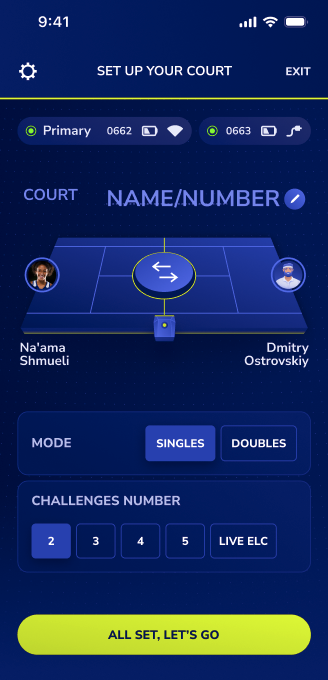
If you wish to use Challenge Mode, you must select a number from 2-5.
Selecting 'Live ELC' means that Baseline will make line calls automatically on court.
How to track and manage challenges during a match
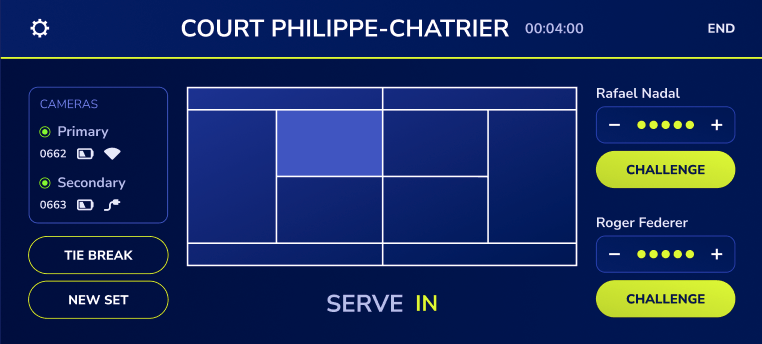
Each player’s remaining number of challenges is displayed on the screen.
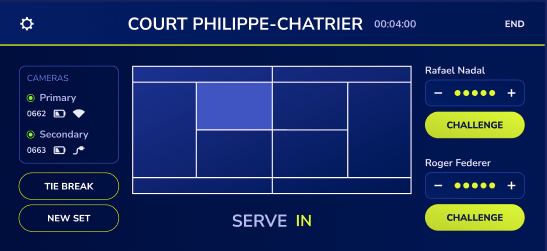
When a challenge is requested, the umpire taps that player’s Challenge button. The umpire can then navigate between the last five shots to select the shot they want to review.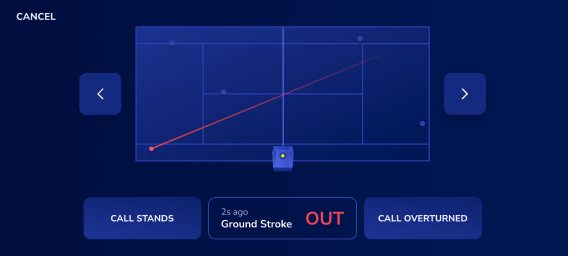
If the umpire selects Call Stands
One challenge is deducted from the player who requested the challenge.
If the umpire selects Call Overturned
The player keeps the challenge.
Manually adding or removing challenges
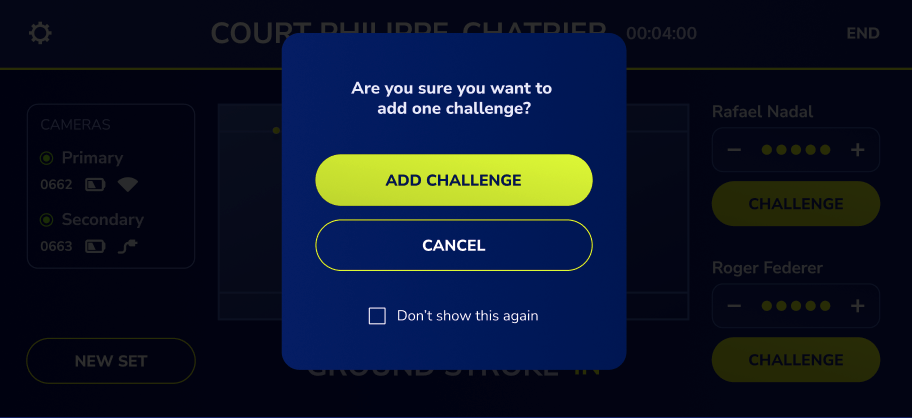
During a match, you can add a challenge by clicking on the + icon beside a player's name. Likewise, you can remove a challenge by clicking on the – icon.
In the case of a tie break
The umpire can select Tie Break, which adds one challenge for each player.
Starting a new set
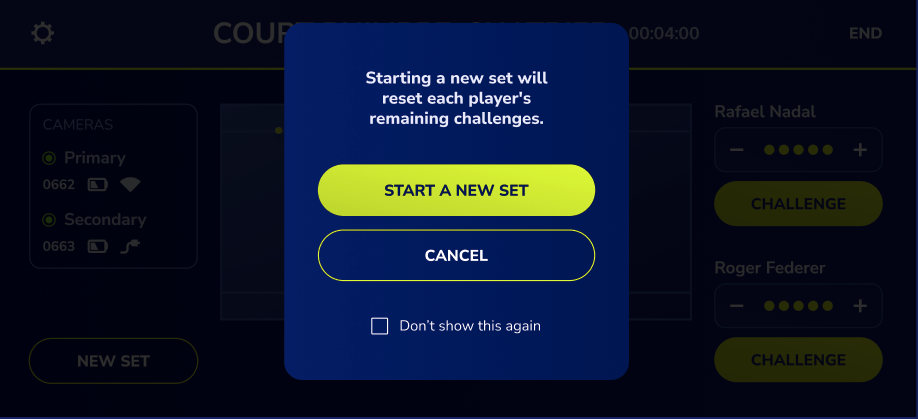
Tap New Set. This will reset each player’s challenges to the initial number selected at the beginning of the match.