Baseline Vision Help Center logo

All articles

Target ZoneUpdated 2 days ago

This training mode is the ultimate way to master any shot and hone precision under pressure.

See how it works in our video below.


Note: Target Zone will be one of the premium training tools available with Baseline Pro, an optional paid subscription coming in late 2026. Until this launch, all Baseline users will have unlimited free access to try Target Zone on their courts. 


How to play Target Zone


1. Pick where you want to place a target.

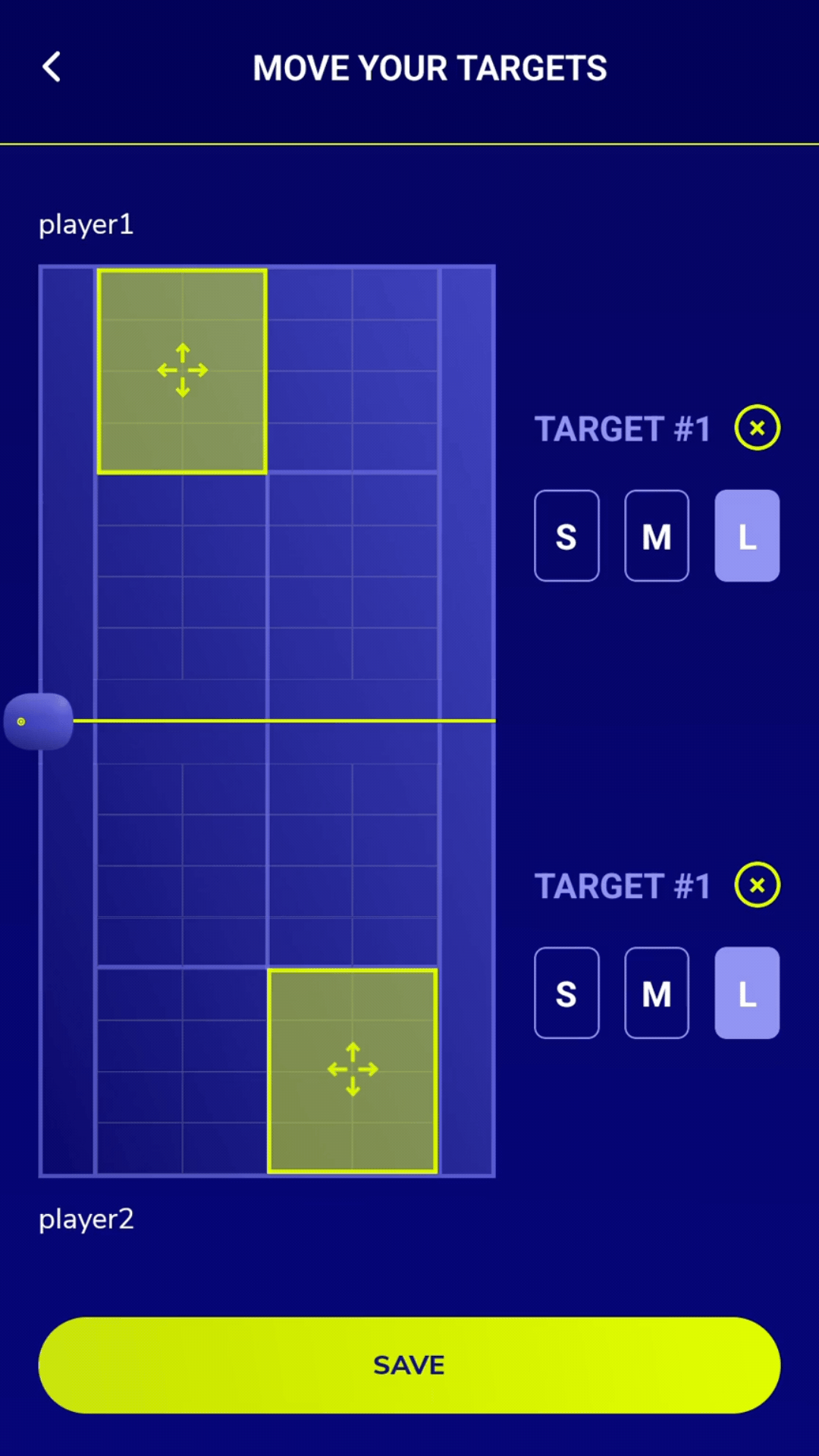
Tap 'Move the Targets' and drag the target anywhere on court. For now, you can only place one target on each side. 

You can also set the target size to Small, Medium, or Large. 


2. Game time!

When the target is hit, you'll hear a sound effect from your camera on court. 

The goal is to hit the target as many times as possible.

At the end of the session, the most accurate player wins.


3. Review player performance

Once the drill is over, you'll be able to see a breakdown of player stats.

This includes:

  • Target hits

  • Ball placement

  • Stroke count

  • Longest streak

  • Average speed

You can get more insights on performance, and compare against other players and previous sessions, using the Pro Stats screen. 


Try Serve Strike for yourself

Try Baseline risk-free on any court for 30 days.

Was this article helpful?
Yes
No