
Freestyle ModeUpdated 2 months ago
Freestyle Mode offers players a more flexible way to play. Perfect for training sessions or those who prefer to do their own thing on court.
Simply press start, and Baseline will begin tracking players and shots.
See how it works in the video below.
What can I do with Freestyle Mode?
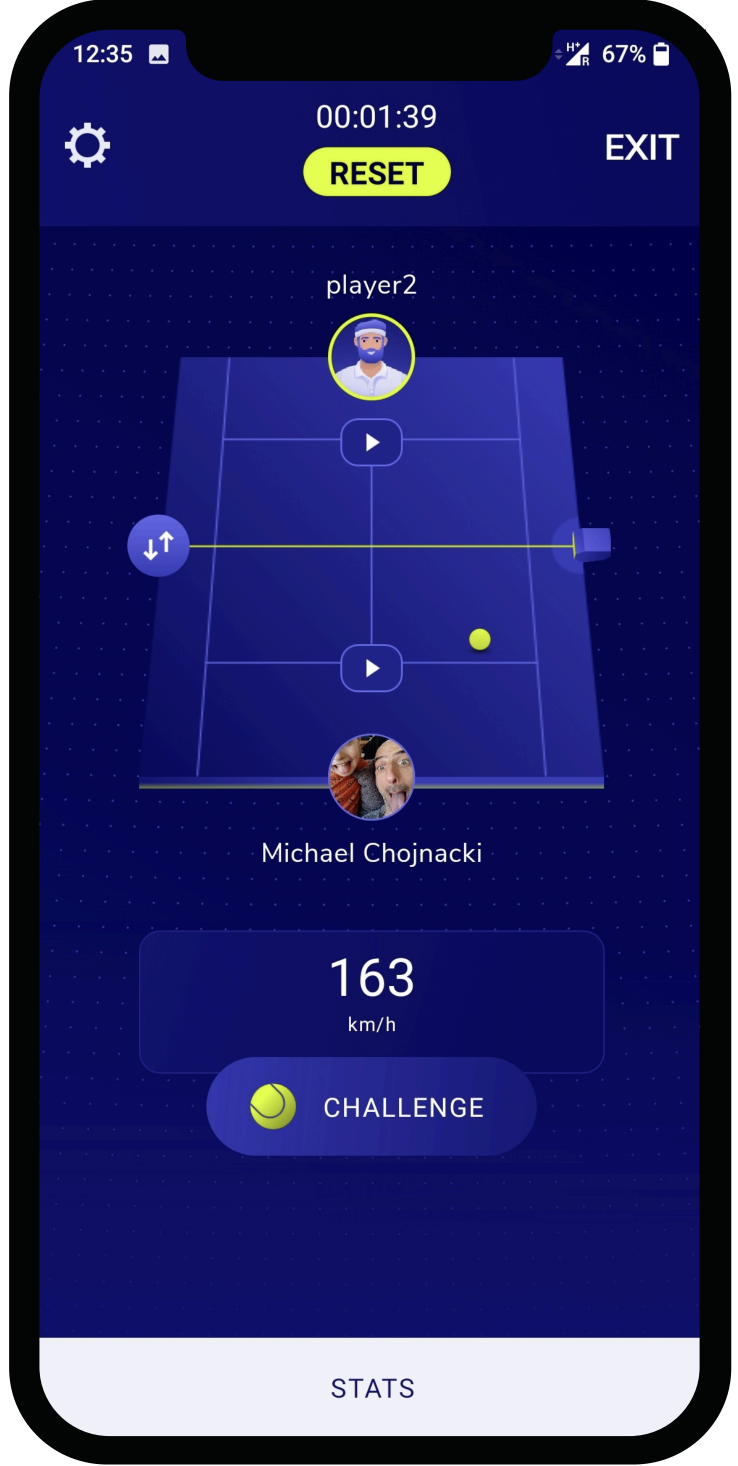
Live stats
See the speed of each shot instantly.
By pressing ‘Stats’, you can get a more detailed breakdown of player performance, including:
- Average speed
- Average net clearance
- Player position
- Ball placement
- Accuracy
You'll also be able to filter stats by forehands and backhands.
Video replay
See what's happening on court live and relive any moment seconds after it happens. Simply click on the ▶️ button on the side of the court you'd like to view.
You'll see the session length, number of strokes, and overall accuracy.
Zoom in, go frame by frame (Android only), or use freeze frames to get more insight on your technique.
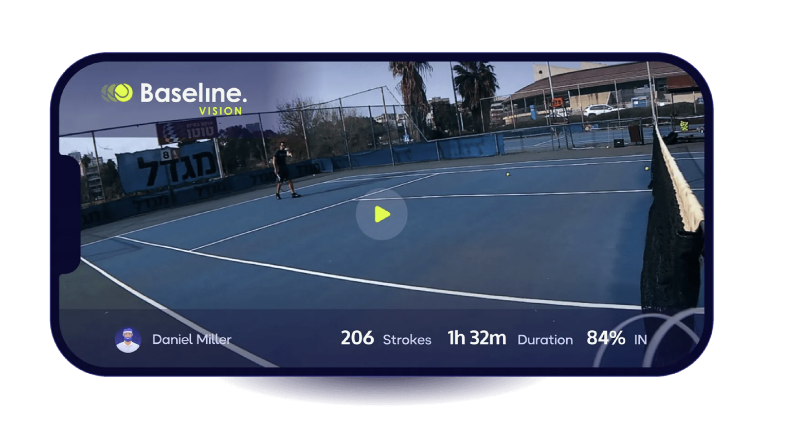
After the session, download videos to rewatch and study your performance.
Line calling and challenges
Baseline's training setup can simulate a real match environment for practice matches and recreational play.
- Automatic line calling. When a ball is in, the camera will flash green. When a ball is out, the camera will flash red and let you know via the speakers. You have the option to use both lights and sounds, only lights, only sounds, or turn line calling off.
- Challenges. You can challenge any of the last 5 shots on court to see whether it was in or out, and to get stats on that particular shot.
It is worth noting that while this setup is 2x more accurate than the human eye for over 95% of shots, it does not have the same level of accuracy of our tournament setup, which has been specifically built for line calling.
If you intend to mainly use Baseline for line calling, we recommend looking at our tournament setup instead.
Some ideas for training with Freestyle Mode
Set a goal such as:
- A 5 minute drill with more than 90 percent in.
- Playing low and making fewer than 5 net errors in 3 minutes.
- Maintaining a target average speed or net clearance.
- Keeping shots within a specific part of the court.
You can monitor stats live, reset the drill, and save results for later review.
Try Freestyle Mode for yourself
Try Baseline risk-free on any court for 30 days.